The connection menu is designed to be able to connect WiFi- and LAN-datalogger directly to RMS.
For Wi-Fi logger, it is recommended to initially configure the following points:
•Extras> RMS Setup.
•Extras> Wi-Fi Setup.
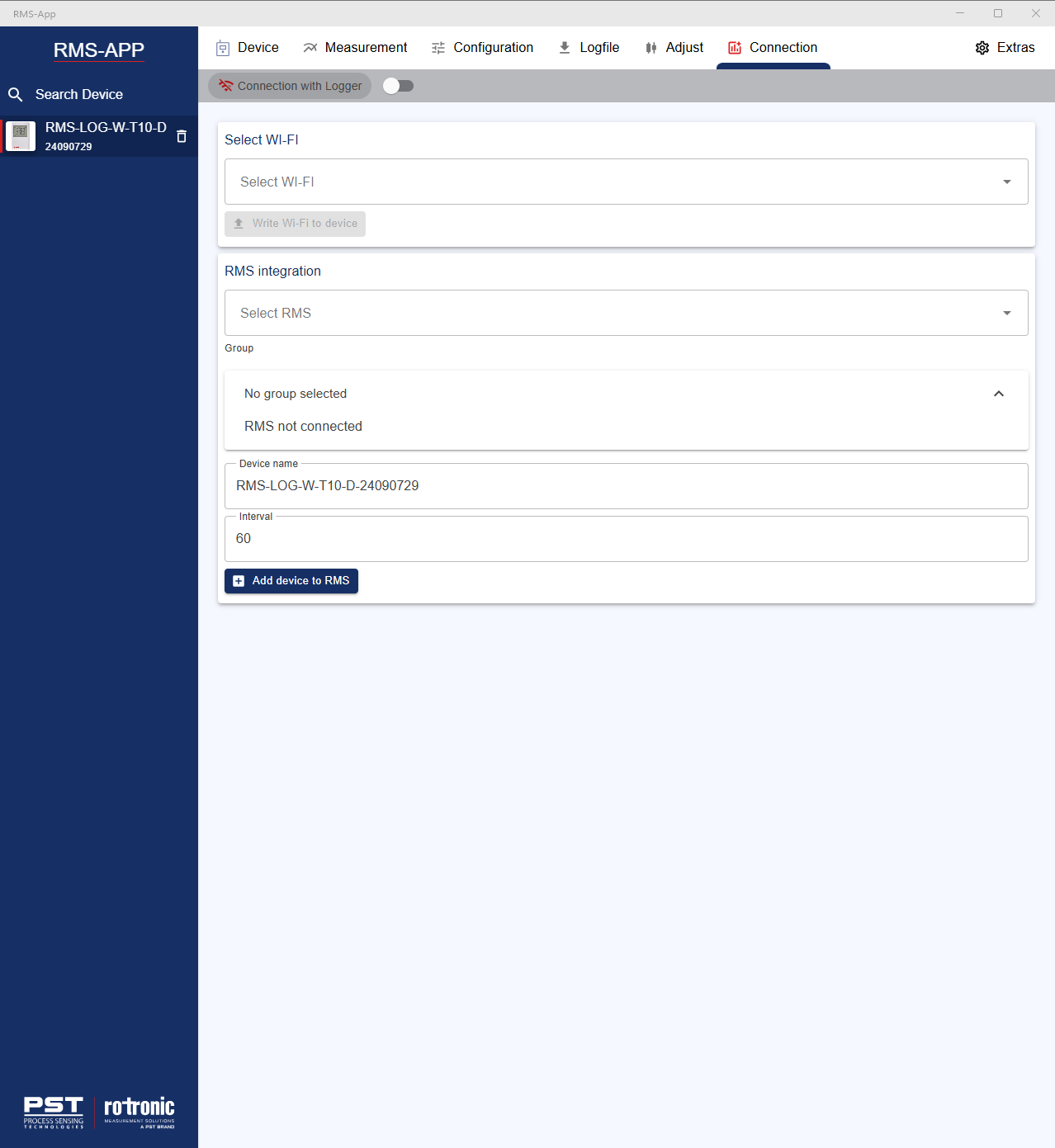
Select Wi-Fi: select the WiFi network that the WiFi datalogger will use. Once the Wi-Fi network selected, click on write Wi-Fi to device.
RMS integration: select the RMS instance that the WiFi datalogger will use.
Group: select the group within the RMS instance where the WiFi datalogger will be located.
Device name: update the device name that will be shown within the RMS instance.
Interval: update the measurement interval that will be used within the RMS instance.
Once all the configuration carried out, click on add device to RMS.
Updated: 27.01.2026