
How to set HCD-S in simulation mode
Step 1:
connect HCD-S via the cable AC3001 to the PC/Laptop.
Step 2:
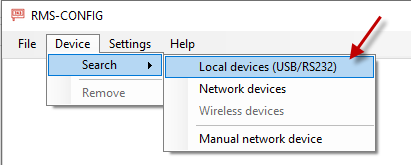
open RMS-Config and choose device à search à local devices (USB/RS232)
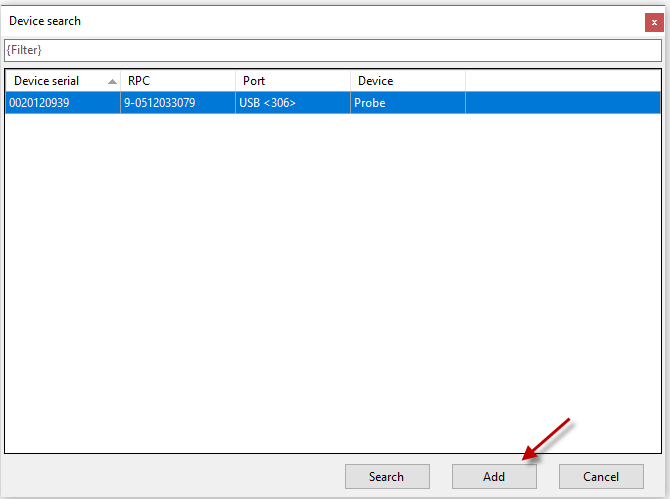
choose add in the pop-up window
Step 3:
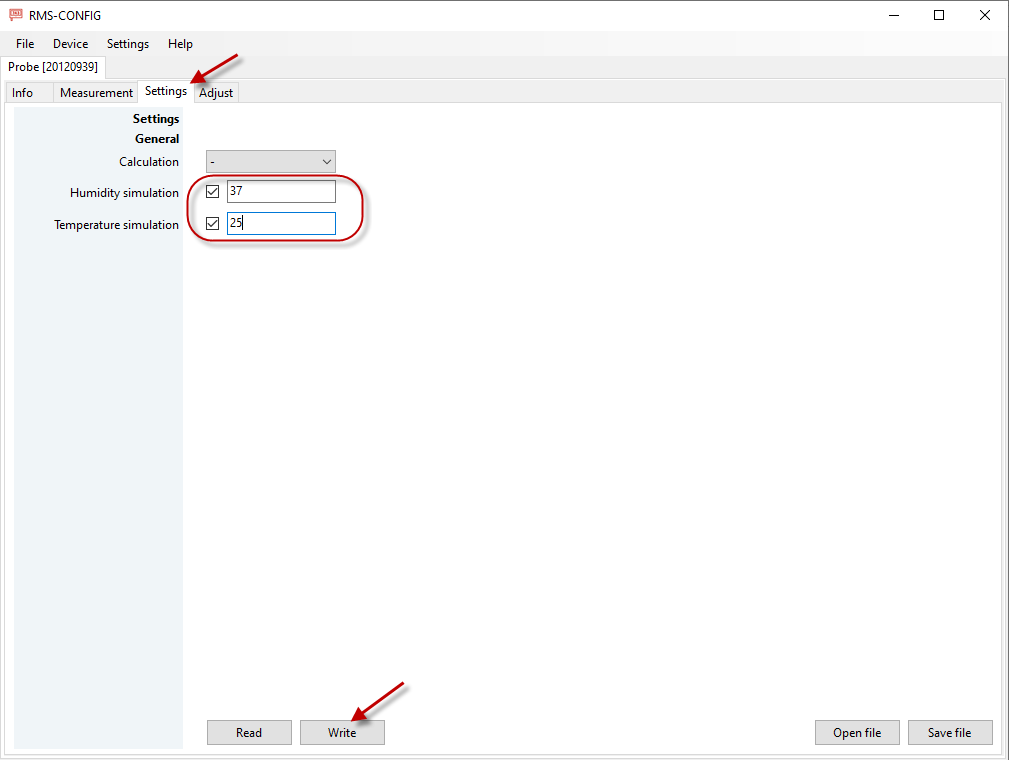
Go to subpage «settings», click simulation checkbox, and enter the values to be simulated. Then press “white” to save the change.
Step 4:
Connect the probe to the Logger. RMS will show now the simulated values:
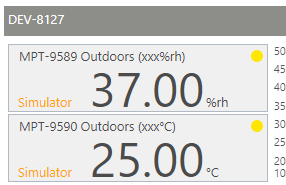
The orange “simulator” indicates the values are simulated and not measured.
connect HCD-S via the cable AC3001 to the PC/Laptop.
Step 2:
open RMS-Config and choose device à search à local devices (USB/RS232)
choose add in the pop-up window
Step 3:
Go to subpage «settings», click simulation checkbox, and enter the values to be simulated. Then press “white” to save the change.
Step 4:
Connect the probe to the Logger. RMS will show now the simulated values:
The orange “simulator” indicates the values are simulated and not measured.
No matching posts in this thread.