
HW4 USB Drivers
Can ROTRONIC provide digitally signed USB drivers for use on Windows 10? I have a customer who is not allowed to use unsigned drivers. They are using HW4 on a WIN10 OS.
Hi Michael, since some years, Rotronic changed the cable driver to default Windows device driver within the production. Actual cable are Windows compatible without special drivers and work plug and play. If you have older cables, please contact our support team (support-rh@rotronic.ch) for a solution.
you need is to install Rotronic USB driver. . Please download the documents from the below link and follow the instruction to install Rotronic USB driver.
ftp://gastupload:gastupload@ftp.rotronic.ch/deactivate driver signature check.zip
Many thanks
ftp://gastupload:gastupload@ftp.rotronic.ch/deactivate driver signature check.zip
Many thanks
Hello, I have the similar problem with the HW4, we use the interface cable AC3009 to connect the transmitters Higroflex HF32, but they are not recognized by the HW4. I try to open the link that leave before to see the instruction to install the USB driver, but I can not open it. I try to install the driver of the Rotornic's page and they are not recognized by win10
Hi MMartinez
Try this method.
Go to rotronic (https://www.rotronic.com/en-ch/productattachments/index/download?id=383) and download this Rotronic Driver. Unzip all content and place on dekstop.
You have to deactivate driver signature enforcement (like this)
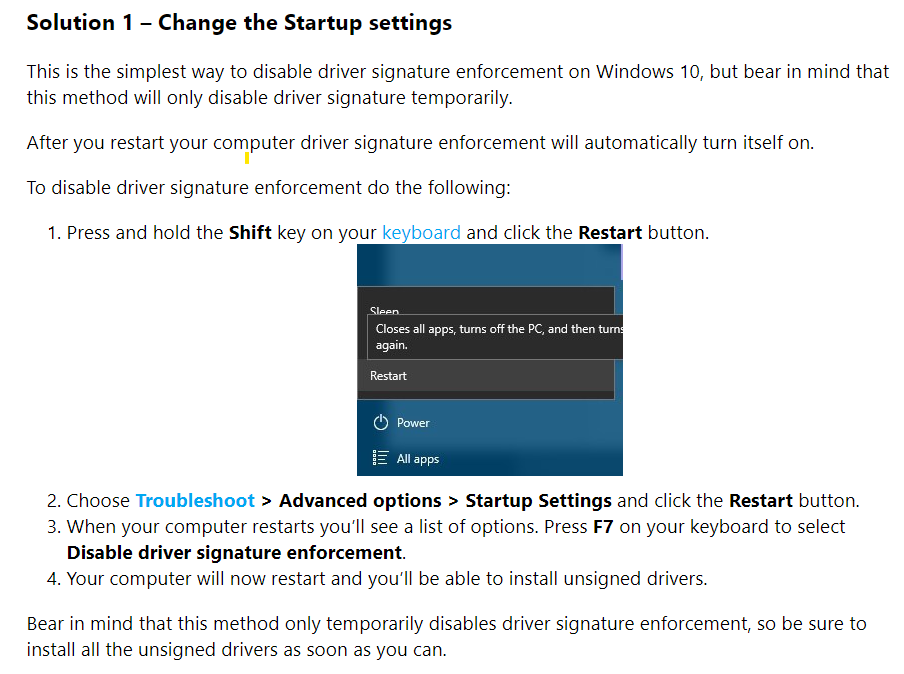
when it has been disabled, go to device manager and find a Universal Serial Bus with a yellow exclamation mark next to it.
**NOTE** it should be a USB device and not a ethernet controller.
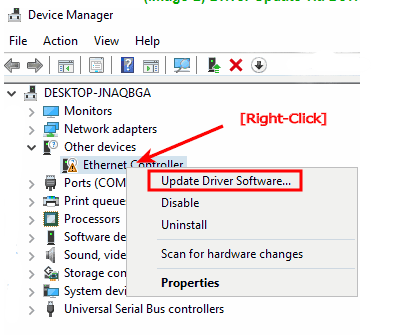
When you click update driver, choose to locate them yourself and point to the folder you unzipped to the dekstop.
The drivers will install, and you can reboot your system to activate driver signature enforcement again.
Hopes this helps, or that your issue was resolved already.
BR
Emil Larsen
C.K.Enviornment A/S
Try this method.
Go to rotronic (https://www.rotronic.com/en-ch/productattachments/index/download?id=383) and download this Rotronic Driver. Unzip all content and place on dekstop.
You have to deactivate driver signature enforcement (like this)
when it has been disabled, go to device manager and find a Universal Serial Bus with a yellow exclamation mark next to it.
**NOTE** it should be a USB device and not a ethernet controller.
When you click update driver, choose to locate them yourself and point to the folder you unzipped to the dekstop.
The drivers will install, and you can reboot your system to activate driver signature enforcement again.
Hopes this helps, or that your issue was resolved already.
BR
Emil Larsen
C.K.Enviornment A/S
I'll look for new drivers
Since HW4 V3.9.0 the drivers are included in the installation files. Please use the attached manual to install the driver.
Thank you
Thank you
I found a compatible driver that is signed and works with HW4
https://dl.dell.com/FOLDER02250036M/...2.10.6_A00.EXE
Just download, unzip the content and run dpinst and it works just fine.
The drivers included with the HW4 ver. 3.9.0 isn't automaticly installed and nor accepted if you run your OS with SecureBoot.
//Peter
https://dl.dell.com/FOLDER02250036M/...2.10.6_A00.EXE
Just download, unzip the content and run dpinst and it works just fine.
The drivers included with the HW4 ver. 3.9.0 isn't automaticly installed and nor accepted if you run your OS with SecureBoot.
//Peter
The driver you suggested is not released by Rotronic AG and there will be no support on it.
I have installed the driver on win10 but HW4 still cannot detect my device HP-23.
Win 10 successfully detect the device when the device is inserted to USB port of the PC. However, HW4 cannot detect the device.
I use Devices and groups --> Search for master devices --> USB masters to search for device but cannot success.
Please help!
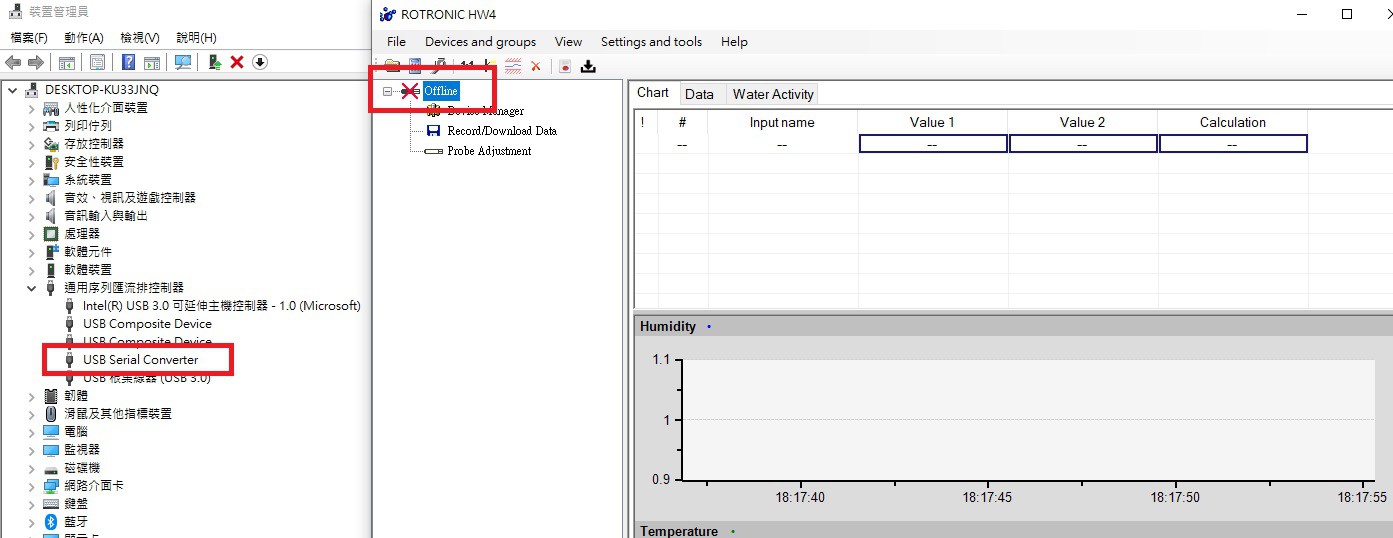
Win 10 successfully detect the device when the device is inserted to USB port of the PC. However, HW4 cannot detect the device.
I use Devices and groups --> Search for master devices --> USB masters to search for device but cannot success.
Please help!
Hi Ray, please use a USB A-B Micro cable and not a Rotronic USB-Serial converter cable as AC-3006/9. The HP23 has a USB-serial converter onboard. Then it might work.
If such driver problem still appears after that, please configure your MS Windows OS to accept unsigned driver.
Clemens
If such driver problem still appears after that, please configure your MS Windows OS to accept unsigned driver.
Clemens
I use this cable
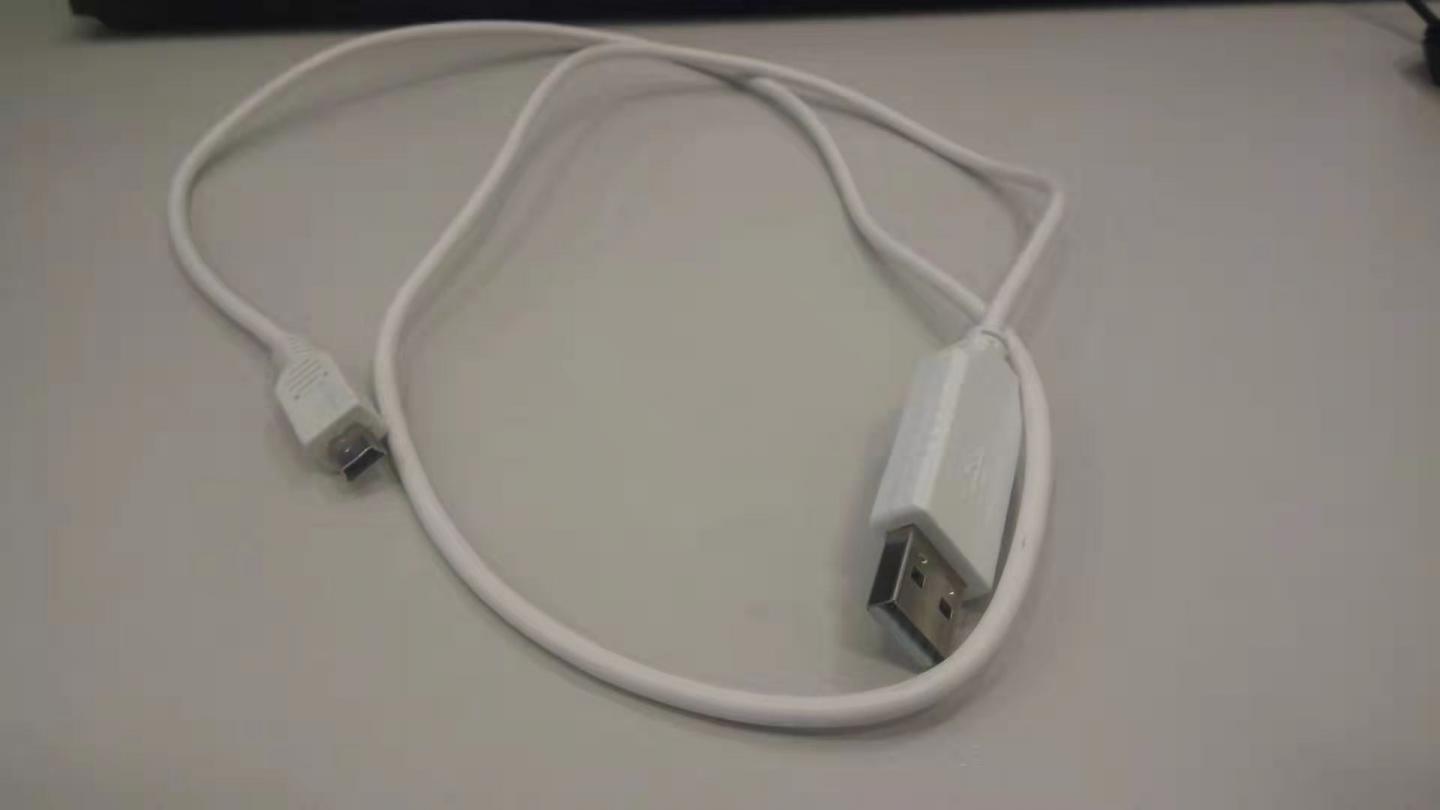
Hi Ray, that would be the correct cable.
In this case, the ftdi driver on board has a unsigned driver. Set Windows to allow such driver.
Try this https://support.viewsonic.com/en/support/solutions/articles/33000252416-how-to-install-unsigned-drivers-in-windows-10#:~:text=The%20easiest%20way%20to%20install,to%20the%20Advanced%20Boot%20menu.
Clemens
In this case, the ftdi driver on board has a unsigned driver. Set Windows to allow such driver.
Try this https://support.viewsonic.com/en/support/solutions/articles/33000252416-how-to-install-unsigned-drivers-in-windows-10#:~:text=The%20easiest%20way%20to%20install,to%20the%20Advanced%20Boot%20menu.
Clemens
Where can I download that unsigned driver?
With the changed settings in windows, a download is not necessary. If the HW4 doesn't find the HP23 now, than check the HP23. I don't have a further idea. Sorry
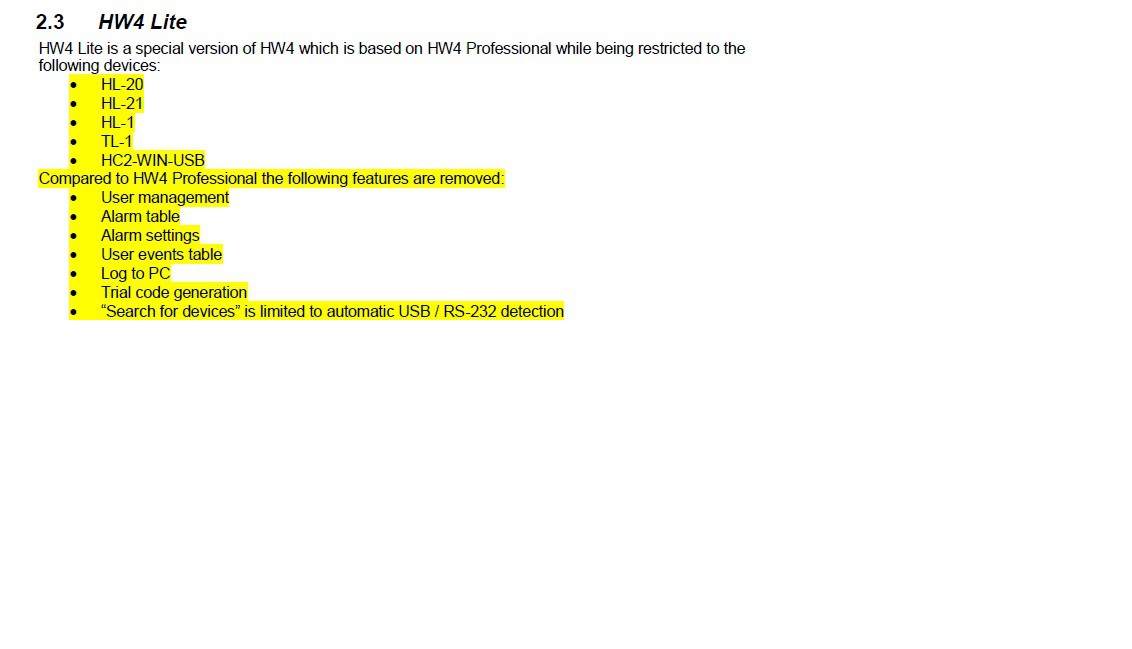
I am using HW4 lite. Is HW4 lite do not support HP-23?
No matching posts in this thread.